History of present illness
Nocturnal heartburn, four nights in seven. Takes omeprazole with breakfast. Continues Carafite as needed for flares.
Plan
Add famotidine 20 mg at bedtime.
 Transcribe
Record the visit. Read the transcript. Review a draft clinical note.
Entirely on your Mac.
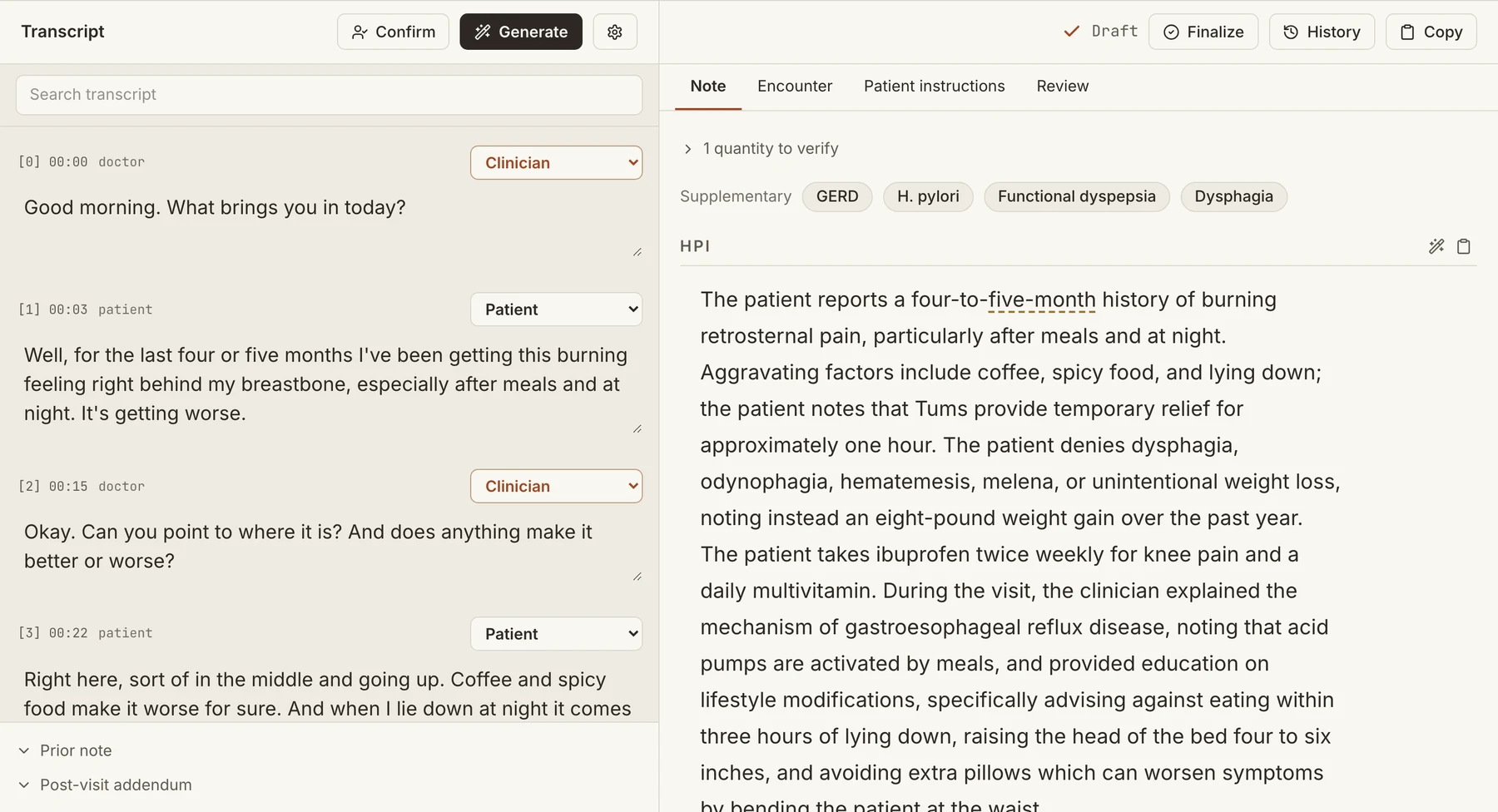
Complete app window. Fictional visit.
THE VISIT, CONNECTED
Scroll through the encounter, or choose a step. The source stays close to the draft.
Clinic visit
Tell me how the reflux has been since we changed the dose.
The burning still wakes me. Four nights out of seven, about an hour after I lie down.
And the omeprazole — when in the day are you taking it?
With breakfast, usually. Some nights I forget and take it at bedtime. And I still use the Carafite when it flares.
Nocturnal heartburn, four nights in seven. Takes omeprazole with breakfast. Continues Carafite as needed for flares.
Add famotidine 20 mg at bedtime.
Illustrated workflow. Invented visit, with deliberate errors to show the review tools.
COMPANION RECORDER FOR IPHONE
Keep the Mac where you review your work. Pair the iPhone once, record the encounter, and deliver it over a private Bluetooth link when you stop.
ON-DEVICE INTELLIGENCE
Medical speech recognition and clinical note generation run on your Mac’s own silicon. Your encounter never waits in a cloud processing queue.
Audio on your device
Recognition on your Mac
Your note, on your Mac
Review clinical terms and medication names alongside what was said.
Keep the source beside the draft, then make the final document yours.
Review medication flags, missing details, and diagnosis-code candidates.
THE DIFFERENCE
One choice changes the workflow: where the recording is processed.
| The encounter | Transcribe | Cloud processing |
|---|---|---|
| Recording | Your Mac | Remote server |
| Note generation | Your Mac | Remote infrastructure |
| Without internet | Recording, transcription, and drafting continue | Remote processing needs a connection |
| Clinical review | You review and sign the final note | You review and sign the final note |
Cloud processing means sending the recording to a remote server. Features and terms vary by provider.
BUILT FOR THE WHOLE VISIT
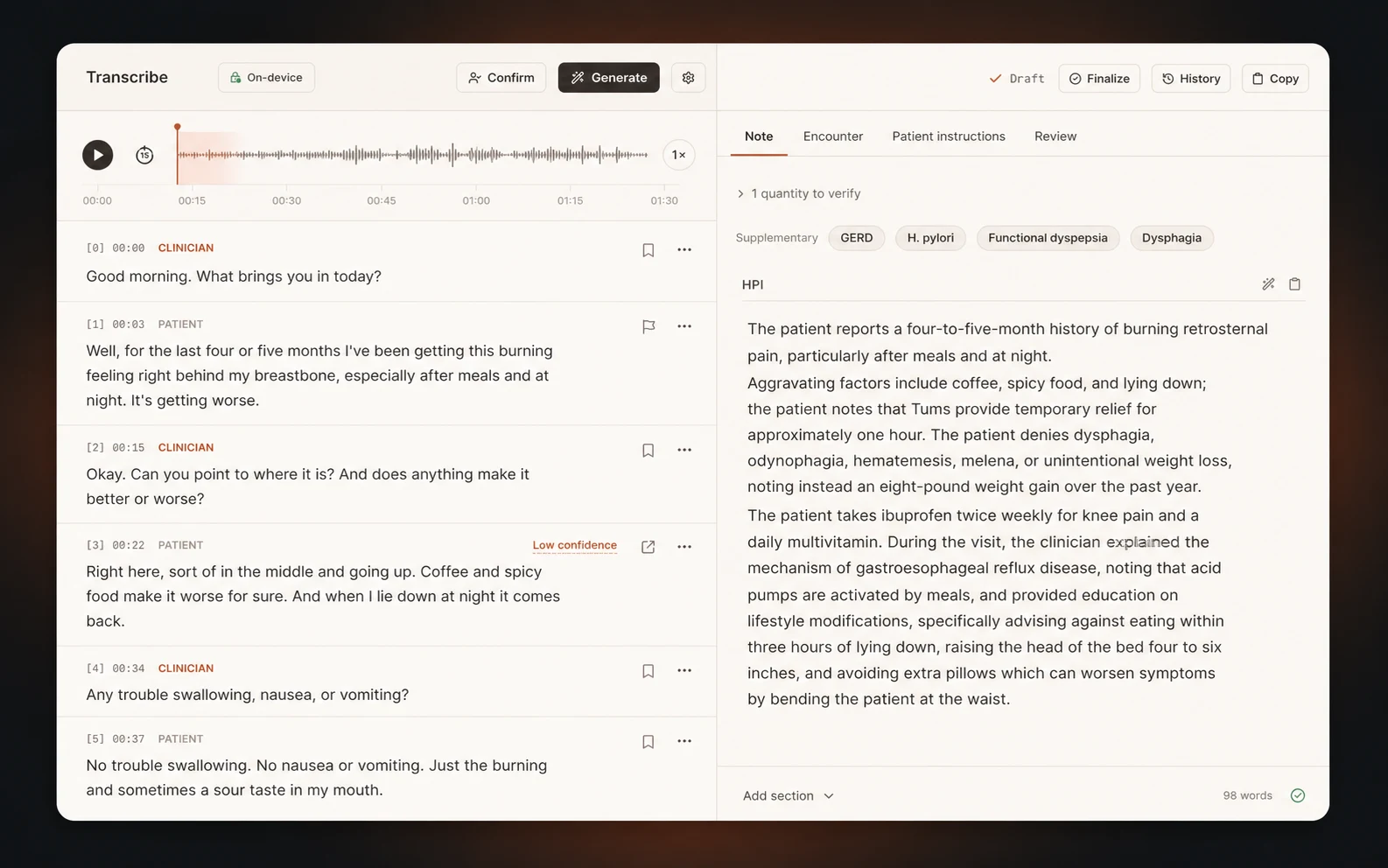
Speaker separation, waveform, and clinical draft stay together.
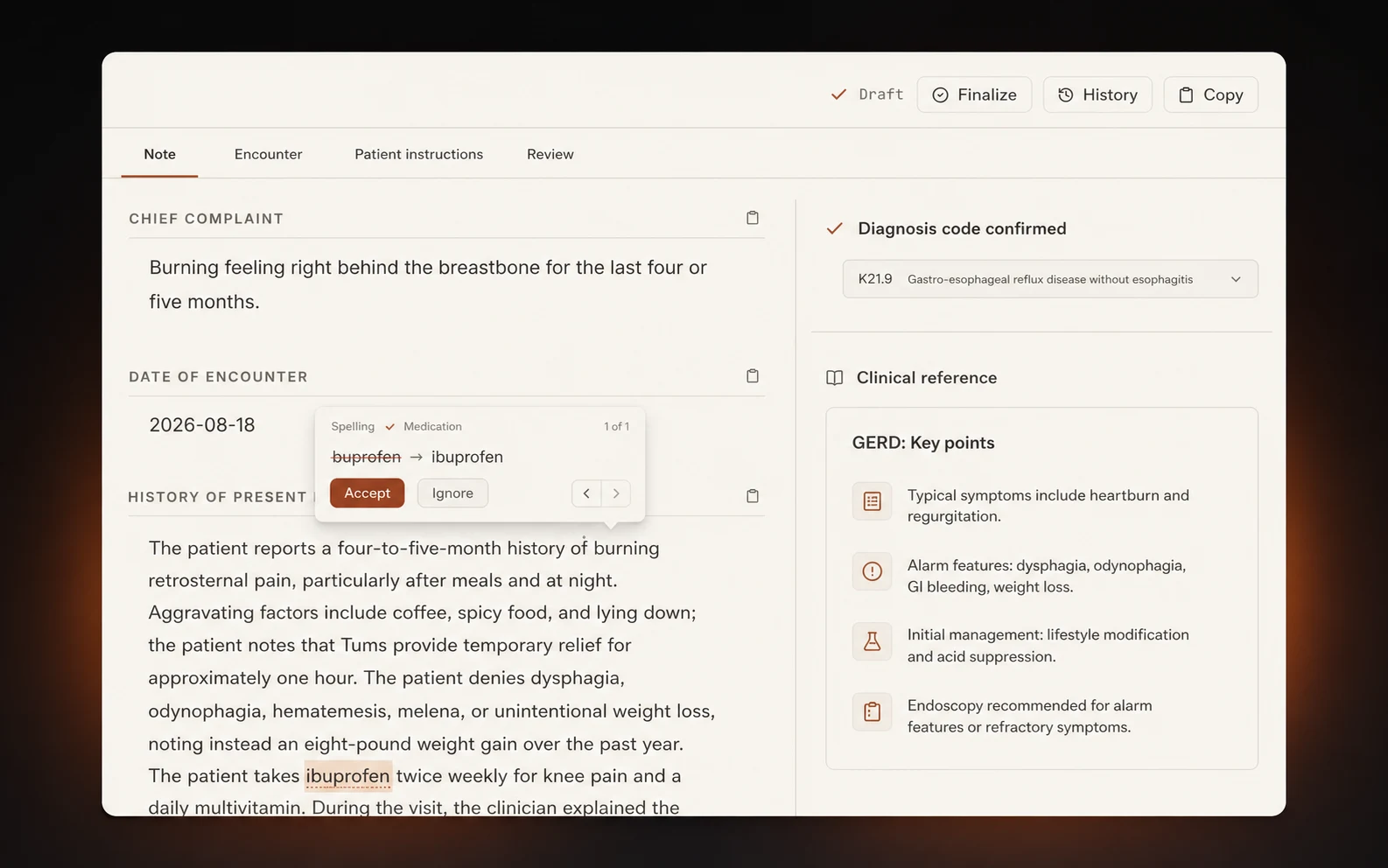
Medication review, spelling, references, and ICD-10 candidates beside the draft.
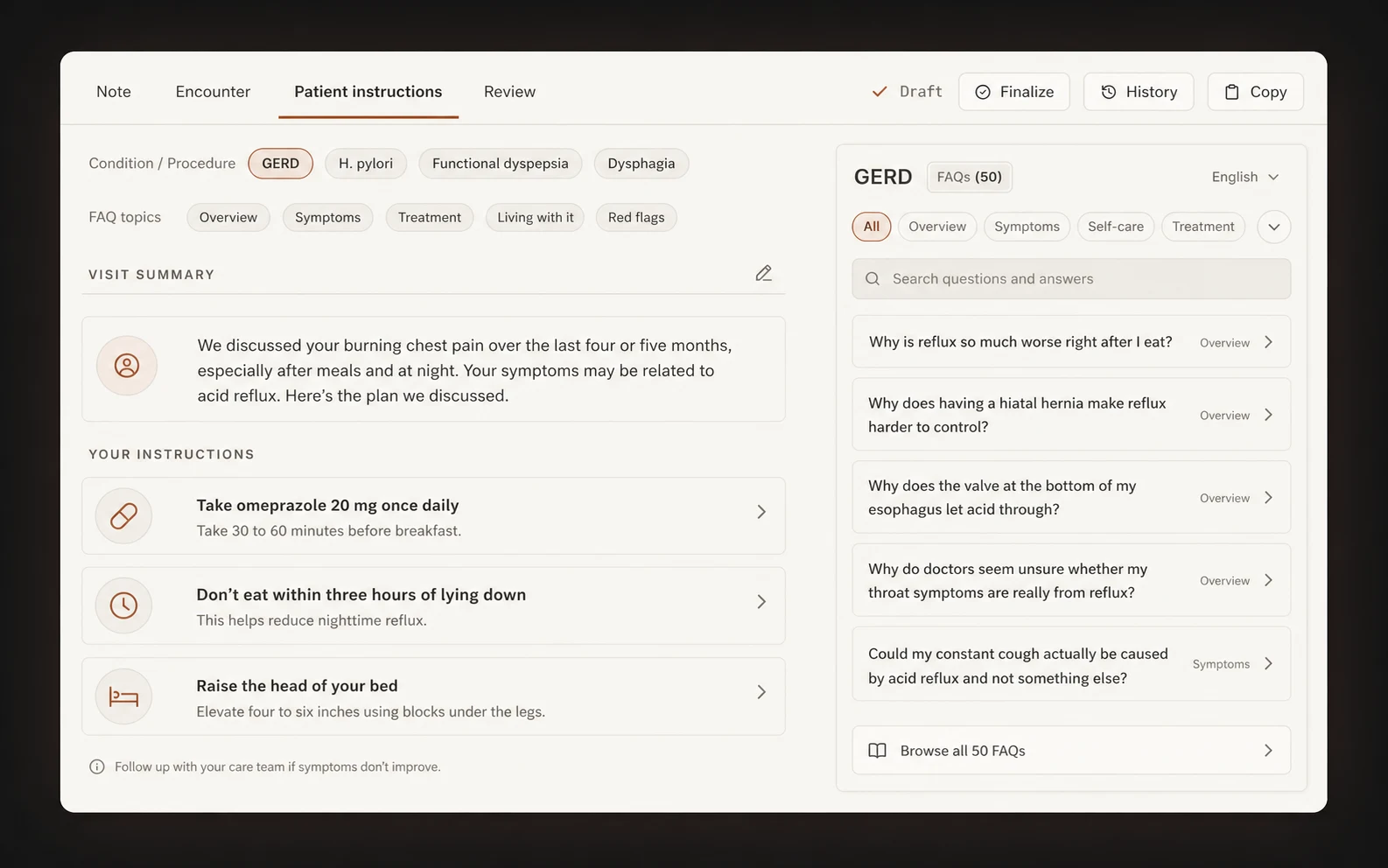
Patient instructions and FAQs begin with the reviewed note.
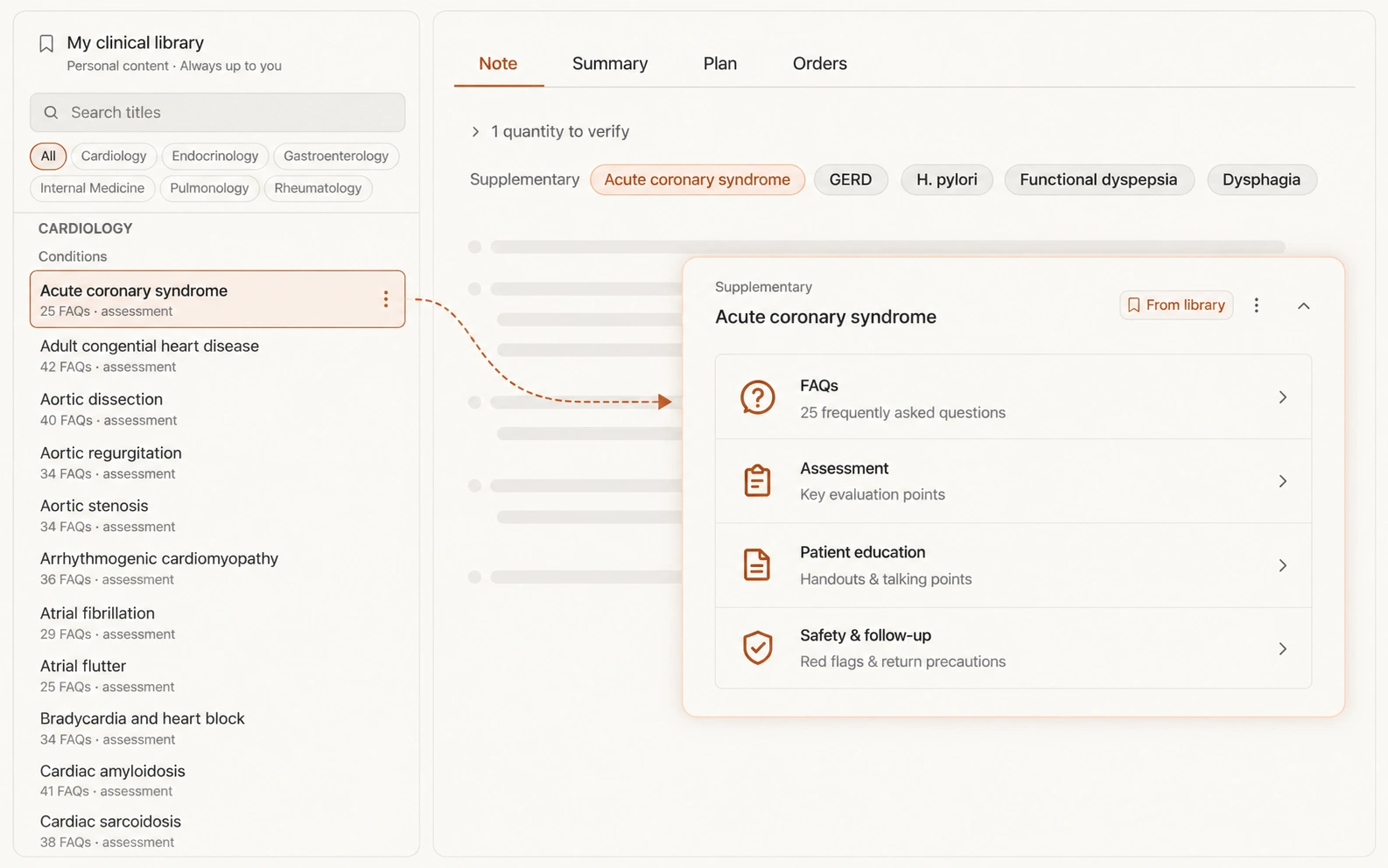
Bring a relevant condition, procedure, or counseling module into the note.
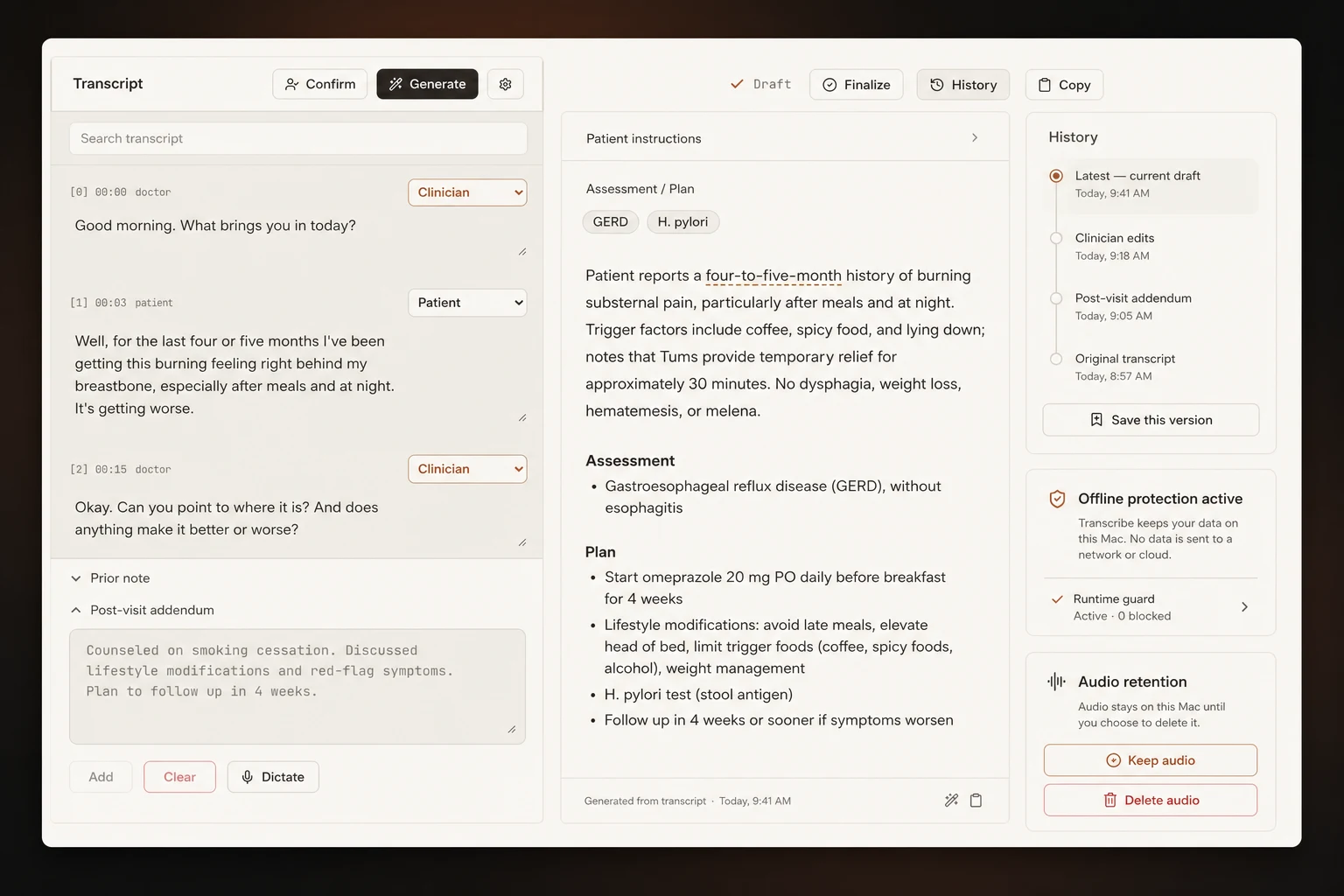
Prior notes, addenda, retention, and deletion stay close to the encounter.
Editorial product studies from the original Transcribe site. Fictional encounters.
SIMPLE TO OWN
The app verifies its licence locally. Access, downloads, and ownership stay separate from the clinical encounter.
Apple silicon · 24 GB memory · macOS 15+
A LITTLE MORE TO KNOW
Yes. Recording, transcription, draft notes, review tools, and licence verification run locally on your Mac. The models stay on your disk.
An Apple silicon Mac with 24 GB of memory. Development and testing target macOS 15 and later.
Yes. Pair the companion recorder with a six-digit PIN. It delivers the recording to your Mac over a private Bluetooth link. You can also record on the Mac, import audio, or paste a transcript.
Encounter audio, transcripts, and notes stay local. The separate customer website manages access and licensing; it does not receive clinical encounters.
No. Review and correct the draft, then copy the final text into your EHR. Transcribe does not diagnose, file, or sign on your behalf.
Audio retention is your choice: delete after transcription, retain briefly for review, or keep it until you delete it. Those controls sit alongside the encounter.
LET’S TAKE THE NEXT STEP
Explore Transcribe for your Mac and your clinical workflow.
Ask about Transcribe