Words, then phrases, then sentences.
Four items a lesson. Listen and read. No quiz unless you ask for one.
 OpenLife
EVERYDAY LANGUAGE · FOR YOUR PHONE
Walk into a pharmacy, a library or a restaurant ready. OpenLife teaches the phrases you will actually need, hears you say them, and gently shows which words to try again.
Free · No account · Works on your phone
01 · LEARN THE MOMENT
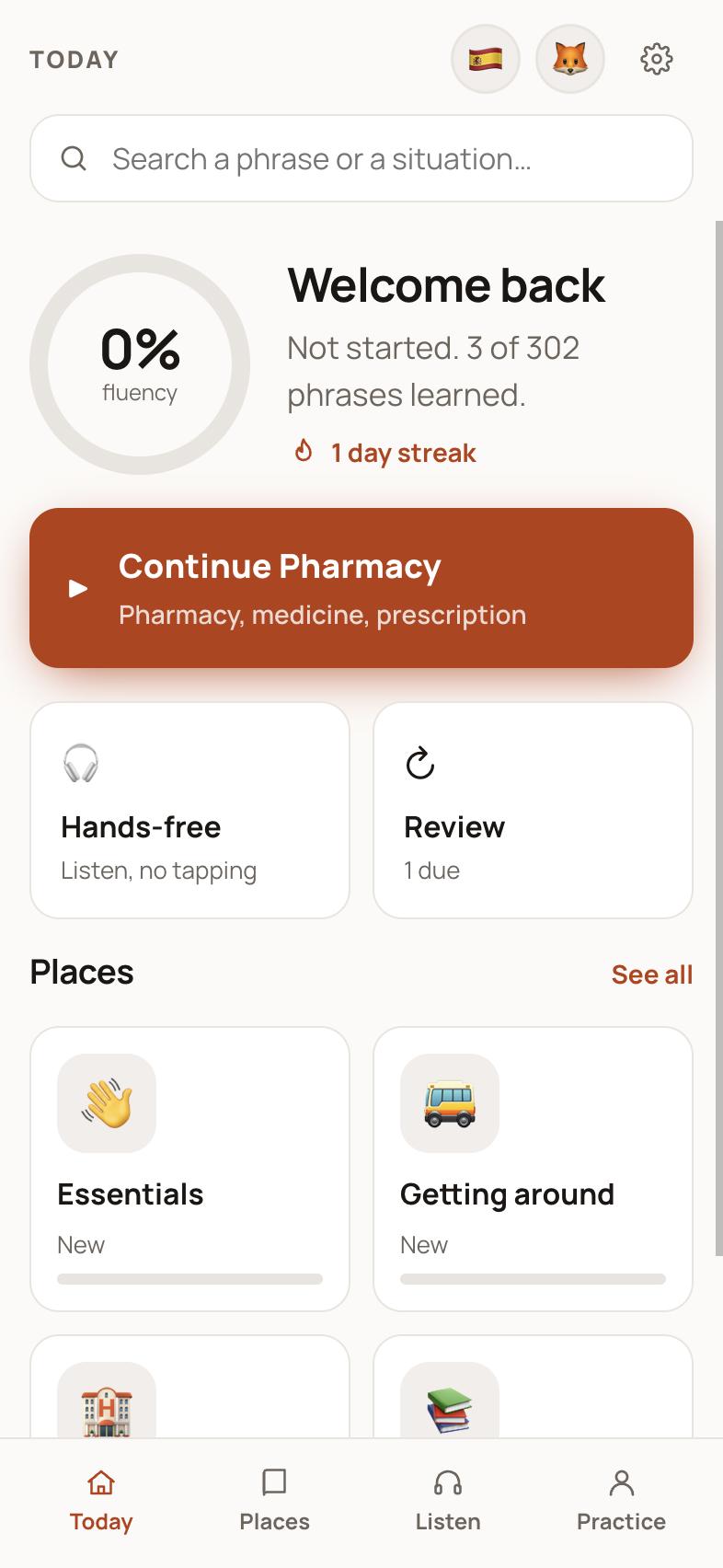
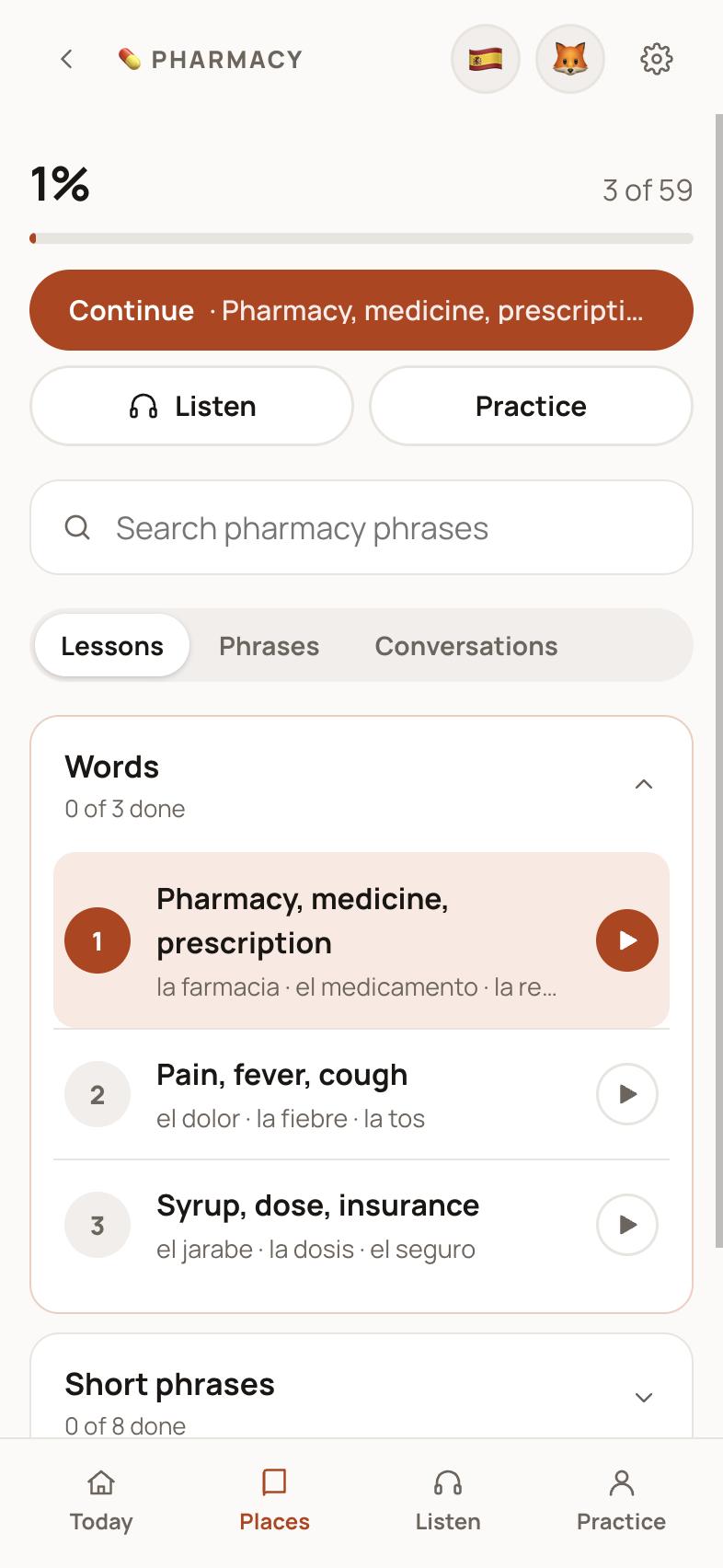
Choose a place and learn what is said there, in the order you will meet it: the key words first, then short phrases, then full sentences. Every lesson is named for its moment, and every phrase comes with the answers you are likely to hear.
Four items a lesson. Listen and read. No quiz unless you ask for one.
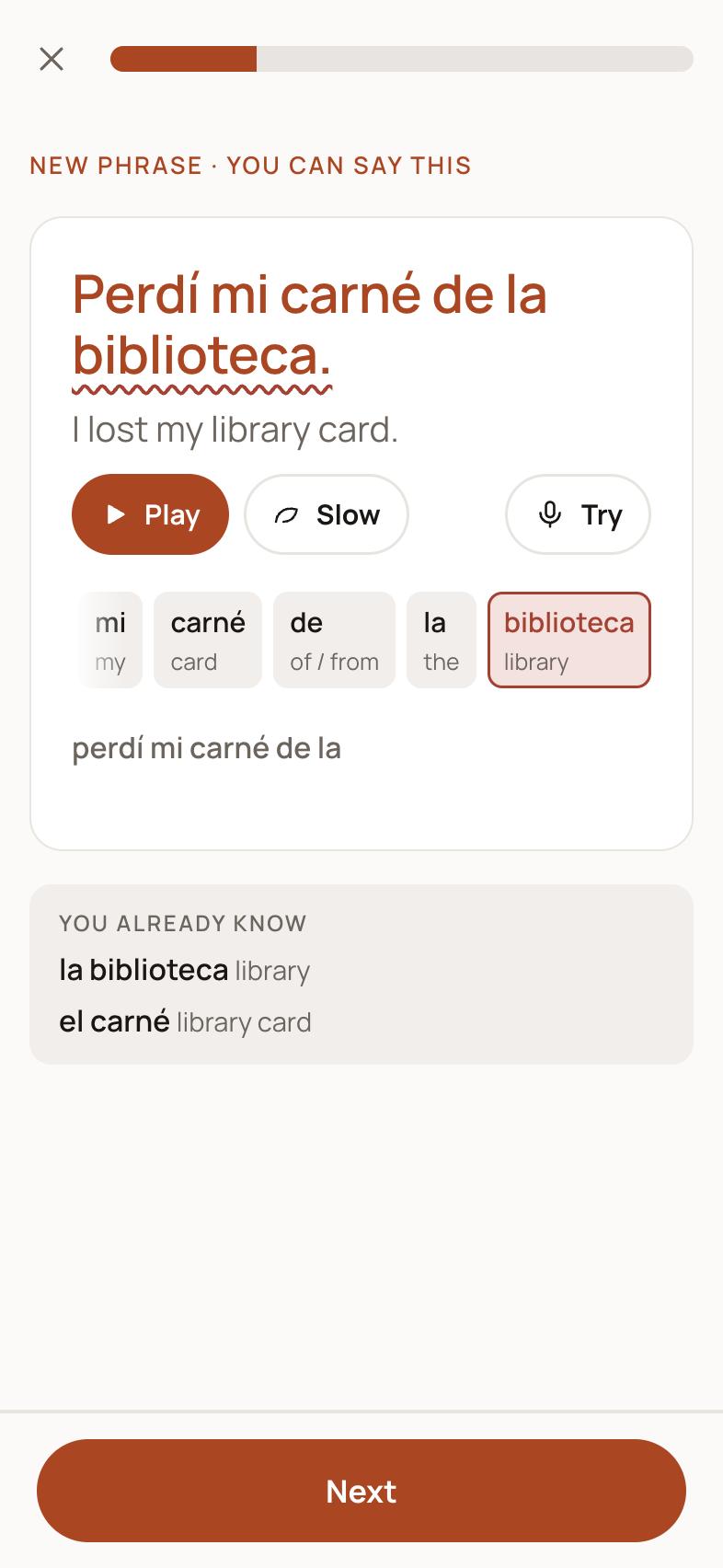
Every word in a phrase shows its own meaning. Tap one to hear just that word.
Looking for how to ask about side effects? Search the place and open the phrase.
02 · HEAR IT, SAY IT
Phrases are spoken by Kokoro, a small speech model that runs in your browser. Hear the English meaning first, then the phrase, then slowly if you want it. Then say it yourself and get kind, specific feedback.
Accents and punctuation never count against you, small slips count as close, and word order is forgiven.
Missed words are underlined in the phrase and marked on their buttons. Tap one and hear it again.
Say it again, or move on. Nothing is ever locked behind a perfect try.
03 · REAL CONVERSATIONS
Role-play a pharmacy counter, a library desk or a restaurant table. They speak, you choose your reply, and every line is played with a natural pause, so the conversation feels like one.
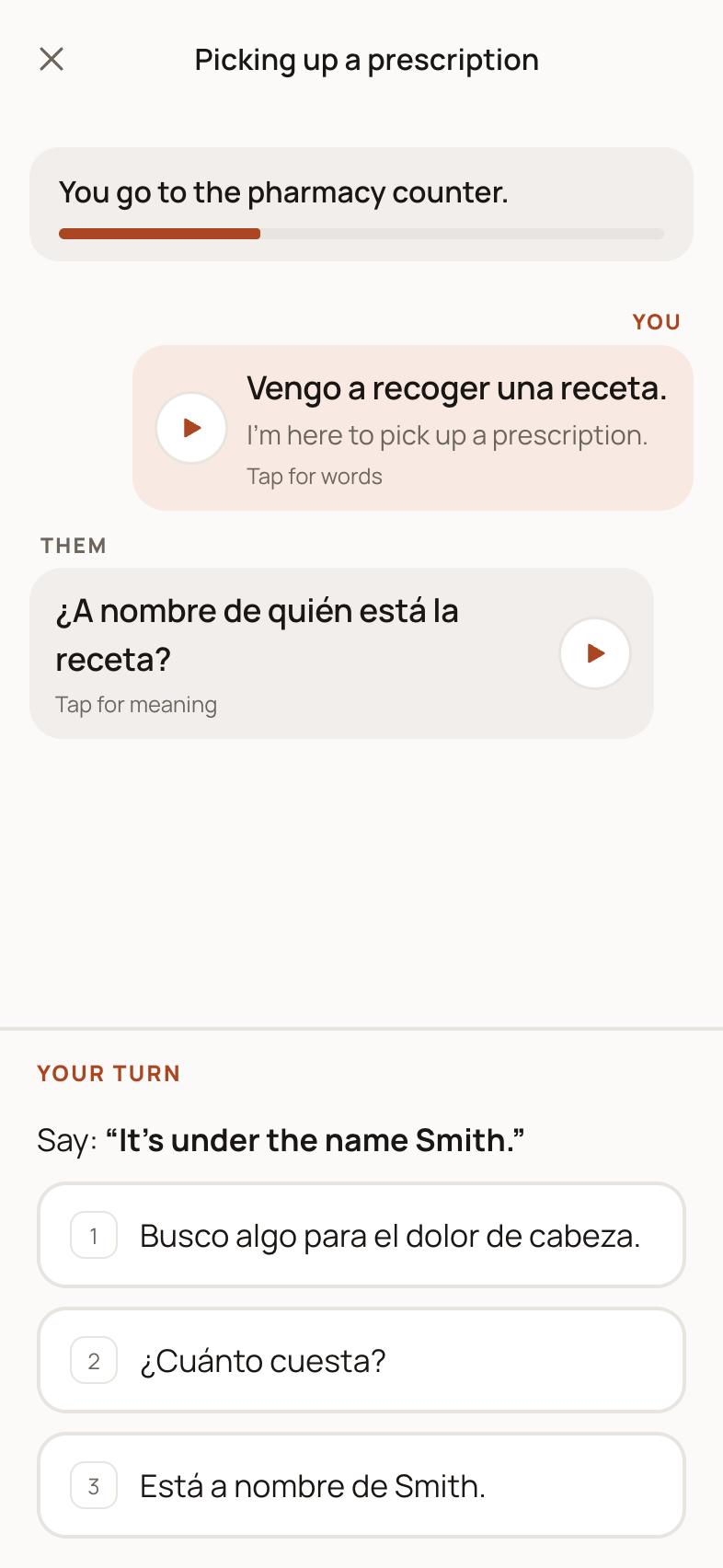
Every line is labelled, and tapping a line shows its meaning and its words.
Phrases the other person says are for listening, so you are never asked to say what you would only hear.
Pick the wrong reply and it simply asks you to try again.
04 · HANDS-FREE
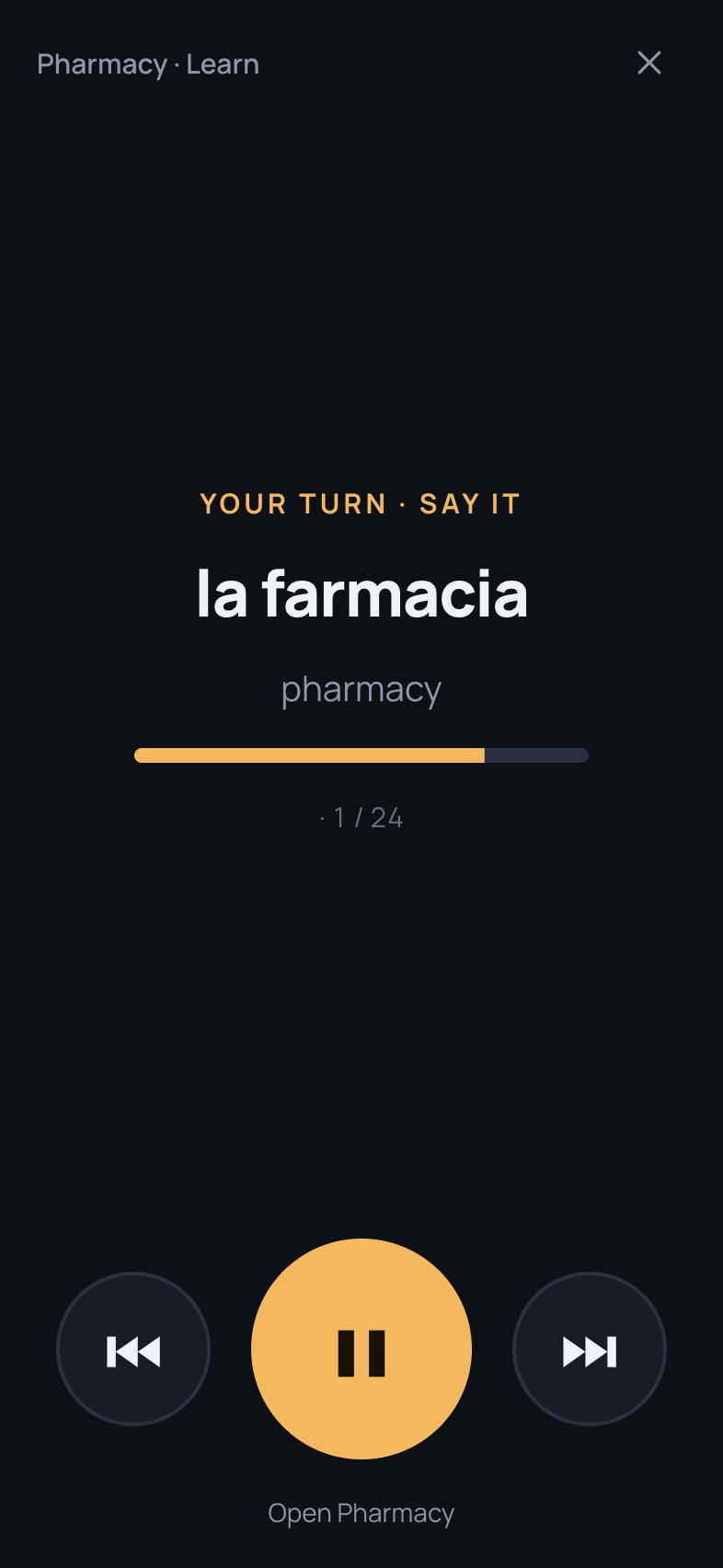
Press Start and listen. Each phrase is read in English, then the language, with a quiet moment for you to say it, and the pace is yours to choose. No tapping once it starts.
05 · YOURS TO SET UP
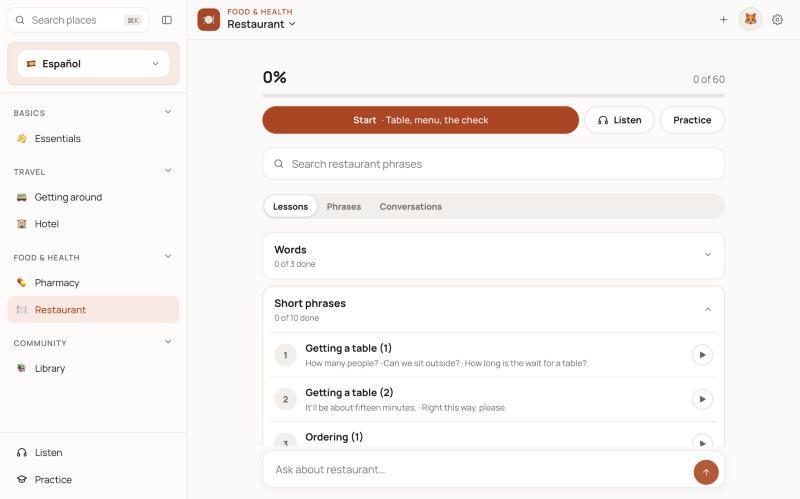
Spanish is the most complete, with six places. French, Italian and German have started with Essentials and a first part of Restaurant, and more places are being added. Pick a theme and a text size that suit your eyes.
ON YOUR DEVICE
OpenLife is a web app with nothing to sign up for. Your progress lives in the browser you use, and the voice runs there too.
A LITTLE MORE TO KNOW
Spanish has six places so far: Essentials, Getting around, Hotel, Library, Pharmacy and Restaurant. French, Italian and German have started with Essentials and a first part of Restaurant, and more places are on the way.
No. OpenLife works in the browser without a sign-in. Progress, streaks and learner profiles are saved on the device you use.
A small speech model is downloaded once (about 90 MB) and runs in your browser, so lines are spoken in a natural voice and nothing is sent to a server. German uses your device's own voice. Until the model is ready, your device's voice fills in.
When you tap Say, your browser's speech recognition listens, and OpenLife compares the words with the phrase. Safari uses Apple's recognition; other browsers use their own. OpenLife does not record or keep your audio.
Yes. Hands-free mode plays phrases, meanings and pauses for you to repeat, with no tapping. Set it up before you start, then use your headset or car controls.
The phrases were drafted with AI assistance and are still being reviewed. Treat OpenLife as a practice companion and double-check anything important.
Yes. It is made for phones first: add it to your Home Screen from Safari's share menu and it opens like an app.
A LITTLE MORE TO EXPLORE
Open OpenLife, pick a place, and say your first phrase.
Open OpenLifeOr go straight there: openlife.audcath.com